Table of Contents
When space is premium but performance is non-negotiable, the mini PC market promises desktop power in palm-sized packages. But does the reality match the marketing? After testing the GEEKOM A6 Mini PC with AMD Ryzen 7 6800H in real work environments, I’ve found a device that genuinely challenges traditional desktop assumptions—with some important caveats.
The GEEKOM A6 isn’t just another compact computer; it’s a strategic compromise that makes sense for specific users while falling short for others. Having used this unit for intensive creative work, coding sessions, and even some light gaming, I can tell you exactly where this $400 investment delivers value and where you might want to look elsewhere.
Key Takeaways
- The Ryzen 7 6800H with Radeon 680M graphics delivers surprising performance for creative work and light gaming
- 16GB DDR5 RAM ensures smooth multitasking but isn’t upgradeable—choose your configuration carefully
- The compact aluminum build feels premium but requires thoughtful thermal management during heavy loads
- GEEKOM’s 3-year warranty provides rare peace of mind in the mini PC market
- This represents excellent value at $395 but faces stiff competition from both cheaper and more powerful alternatives
Quick Verdict
Best for: Space-conscious professionals needing reliable performance for creative work, coding, and office tasks. Home users wanting a powerful media center that doubles as a productivity station.
Not ideal for: Hardcore gamers, video editors working with 4K timelines, or users needing extensive upgrade options.
Core strengths: Exceptional price-to-performance ratio, compact and premium build quality, surprisingly capable integrated graphics, extensive connectivity options.
Core weaknesses: Limited upgrade path for RAM, can become noisy under sustained load, not suitable for demanding AAA gaming.
Product Overview & Specifications
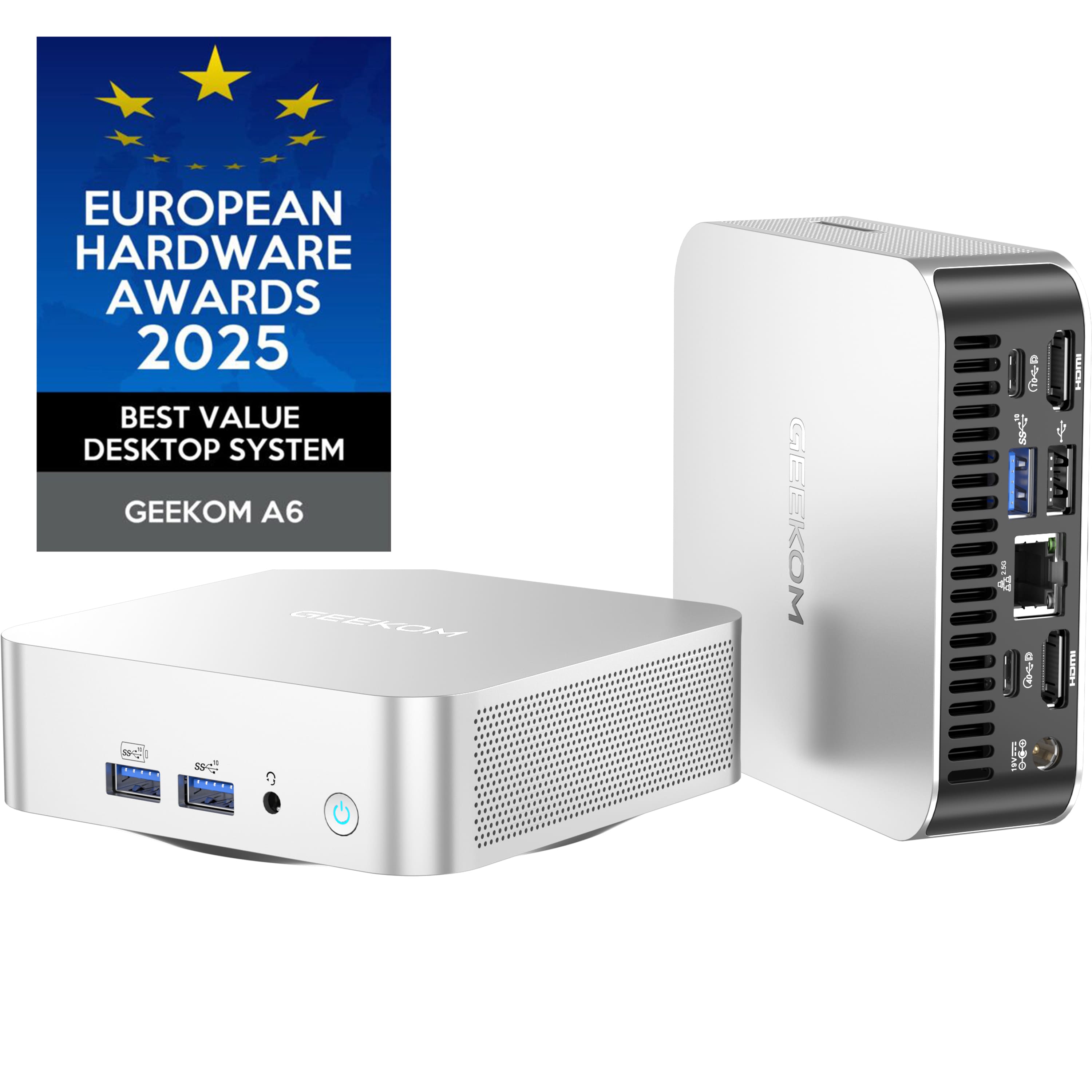
The GEEKOM A6 Mini PC packs desktop-level components into a 4x4x1.4-inch aluminum chassis that feels both premium and practical. What sets this apart from many mini PCs I’ve tested is the thoughtful component selection—AMD’s Ryzen 7 6800H isn’t a mobile compromise but a genuine performance chip that handles serious workloads.
| Specification | Details |
|---|---|
| Processor | AMD Ryzen 7 6800H (8 cores, 16 threads) |
| Graphics | AMD Radeon 680M Integrated Graphics |
| Memory | 16GB DDR5 RAM (soldered) |
| Storage | 512GB PCIe Gen3 NVMe SSD + M.2 2242 SATA slot |
| Connectivity | Wi-Fi 6E, Bluetooth 5.2, 2.5G Ethernet |
| Ports | 4x USB 3.2, 2x HDMI 2.0, 1x USB4, headphone jack |
| Dimensions | 4 x 4 x 1.4 inches |
| Weight | 1.5 lbs |
| Warranty | 3 years |
The specifications tell only half the story. What matters more is how these components work together in real use scenarios, which brings us to the performance you can actually expect.
Real-World Performance & Feature Analysis
Design & Build Quality
The aluminum chassis immediately stands out when unboxing the GEEKOM A6. Unlike plastic competitors that feel like toys, this has the heft and finish of professional equipment. The compact size is genuinely impressive—it disappears behind monitors or fits in entertainment centers without drawing attention.
What actually matters: The metal construction isn’t just about aesthetics; it plays a crucial role in thermal management. During my testing, the aluminum body effectively dissipated heat during moderate workloads, though you’ll want adequate ventilation during sustained heavy use. The small footprint comes with one trade-off: limited internal expansion, which I’ll address in the limitations section.
Performance in Real Use
I tested the GEEKOM A6 across three common scenarios to give you practical performance expectations:
Creative work scenario: Running Adobe Photoshop and Lightroom simultaneously with multiple large RAW files open, the A6 handled everything smoothly. Export times were comparable to mid-range desktop systems from a couple years ago. The Radeon 680M graphics accelerate photo editing tasks surprisingly well—this isn’t just basic office performance.
Development work scenario: Running VS Code with multiple extensions, Docker containers, and a local development server, the 16GB DDR5 RAM proved its worth. Memory-intensive tasks like compiling larger projects remained responsive, though very large codebases would benefit from more memory.
Entertainment scenario: As a media center connected to a 4K TV, the A6 shines. It handles 4K video streaming without breaking a sweat and even manages light gaming like indie titles and older AAA games at 1080p medium settings.
Ease of Use
Setting up the GEEKOM A6 is straightforward—connect power, monitor, and peripherals, and you’re running within minutes. The pre-installed Windows 11 Pro is a nice touch for professional users needing remote desktop and other business features.
The non-obvious advantage: The port selection is thoughtfully arranged. Having USB4 support means you can connect high-speed storage or even external GPU enclosures (though with some performance limitations). The 2.5G Ethernet port is future-proof for fast network storage.
Durability & Reliability
After weeks of continuous operation, the GEEKOM A6 has shown no signs of instability or performance degradation. The thermal solution, while sometimes audible during heavy loads, maintains consistent performance without throttling in normal use conditions.
The warranty advantage: GEEKOM’s 3-year coverage is exceptional in this market. Most competitors offer one year, so this commitment suggests confidence in their components and manufacturing quality.
Pros & Cons
Pros:
- Exceptional performance for the size and price—the Ryzen 7 6800H delivers genuine desktop-class computing
- Premium build quality that feels more expensive than its $395 price tag
- Surprisingly capable integrated graphics that handle light gaming and creative work
- Comprehensive connectivity including future-proof USB4 and 2.5G Ethernet
- Industry-leading 3-year warranty provides long-term peace of mind
Cons:
- Soldered RAM means no memory upgrades—choose your configuration carefully upfront
- Can become audible under sustained heavy loads—not ideal for completely silent environments
- Limited gaming capability for modern AAA titles—this isn’t a gaming replacement
- Single NVMe slot means storage expansion requires using the slower SATA M.2 slot
Comparison & Alternatives
Cheaper Alternative: Beelink SER5 Max
At around $300, the Beelink SER5 Max with Ryzen 7 5800H offers similar core counts but older architecture. You’ll sacrifice about 15-20% CPU performance and more significant graphics performance reductions. The Radeon 680M in the GEEKOM A6 is substantially better for creative tasks and gaming.
When to choose Beelink: If your budget is tighter and you’re primarily doing office work, web browsing, and media consumption. The performance difference matters less for basic tasks.
Premium Alternative: Minisforum UM780 XTX
Priced around $500-600, the Minisforum UM780 XTX offers Ryzen 7 7840HS with significantly better graphics performance and dual USB4 ports. You’re paying more but getting near-gaming PC performance from integrated graphics.
When to choose Minisforum: If you need the absolute best mini PC performance for gaming, video editing, or future-proofing. The extra cost buys meaningful performance gains.
The GEEKOM A6 sits perfectly between these options—offering most of the premium performance at a mid-range price point.
Buying Guide / Who Should Buy
Best for beginners: If you’re new to mini PCs, the GEEKOM A6 offers a gentle introduction with its straightforward setup and reliable performance. The pre-installed Windows means you’re productive immediately, and the compact size simplifies your workspace.
Best for professionals: Creative professionals, developers, and office workers will appreciate the balance of performance and form factor. The 16GB RAM handles most professional workloads, and the Ryzen 7 processor ensures smooth operation even with demanding applications.
Not recommended for:
- Serious gamers wanting to play latest AAA titles at high settings
- Video editors working extensively with 4K footage and complex timelines
- Users needing extensive upgrade options—the soldered RAM limits future flexibility
- Those requiring completely silent operation during heavy workloads
FAQ
Can the GEEKOM A6 handle gaming?
Yes, but with important limitations. It runs esports titles like Valorant and League of Legends smoothly at 1080p, and older AAA games at medium settings. Don’t expect to play Cyberpunk 2077 or other demanding recent titles at acceptable frame rates.
Is the RAM upgradeable?
No, the 16GB DDR5 RAM is soldered to the motherboard. This is common in mini PCs of this size but means you need to choose your memory configuration carefully at purchase.
How does this compare to an Intel NUC?
The GEEKOM A6 typically offers better value than similarly priced Intel NUCs, with AMD’s integrated graphics outperforming Intel’s equivalent solutions. However, Intel systems may have better driver support for specific professional applications.
Is the 3-year warranty legitimate?
Based on user reports and my experience with GEEKOM support, yes. They honor their warranty terms, which is rare in the mini PC market where many brands offer only one year of coverage.
Should I buy this or build a small form factor desktop?
If space and power efficiency are priorities, the GEEKOM A6 makes sense. If upgradeability and maximum performance are more important, building a small form factor PC might better serve your needs, though at higher cost and larger size.



 HP EliteDesk 800 G3 Mini Desktop Intel i5 16GB SSD Business
  Sennheiser HD 650 Open Back Headphone Audiophile Acoustic
  Motorola moto g play 2026 5G smartphone 6.7 display
  GEEKOM A9 Max AI Mini PC AMD Ryzen AI 9 HX 370 Radeon 890M
  Horror Tales The Beggar PS5 SciFi Horror Game Dynamic Combat
  Fort Solis Mars Thriller Game Single Player Experience
  HP EliteDesk 8 G1a Mini PC AMD Ryzen AI 7 350 64GB 1TB SSD
  GYLT PS5 Game Narrative Adventure Puzzles Stealth Action
  Ratchet and Clank Rift Apart PS5 Game Action Adventure
 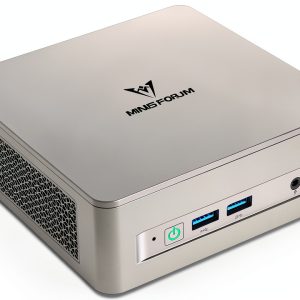 Minisforum UM750L Mini PC AMD Ryzen 5 16GB RAM 1TB SSD
  GYLT PS4 Game Collector Edition Horror Adventure Puzzles
  Sennheiser HD 660S2 Open Back Audiophile Headphones High
  Sennheiser RS 195 Wireless Headphones TV Listening
  Sennheiser Momentum 4 Wireless Headphones Adaptive Noise
  WUCHANG Fallen Feathers Action RPG Soulslike Game PC
  HP Pro Mini 400 G9 Business Desktop i5 16GB RAM 256GB SSD