Table of Contents
You’ve been searching for an ergonomic gaming chair that won’t break the bank, scrolling through endless options promising comfort and support. But here’s the reality most reviews won’t tell you: under $100, you’re not buying premium ergonomics—you’re hunting for the best compromise between comfort, durability, and price.
As someone who’s tested over two dozen gaming chairs across price ranges, I can tell you the sub-$100 category is where marketing hype meets real-world limitations. The Bestier Ergonomic Gaming Chair enters this competitive space with bold claims about spinal support and durable faux leather. But does it deliver where it actually matters during those 8-hour work sessions or marathon gaming nights?
I assembled and used this chair for two weeks across different scenarios—from intense workdays to relaxed gaming sessions—to give you the unvarnished truth about where this budget-friendly option excels and where it falls short.
Key Takeaways
- The S-shaped backrest provides genuine lumbar support for users under 6 feet tall, but taller individuals may find it insufficient
- Faux leather quality is surprisingly decent for the price point, though long-term durability remains questionable
- Adjustment mechanisms work adequately but lack the precision of premium chairs
- Best value for budget-conscious buyers who want basic ergonomic features without premium pricing
- Assembly is straightforward but requires careful attention to avoid stripping cheap fasteners
Quick Verdict
Best for: Budget-conscious gamers, students, and remote workers who need basic ergonomic support for 4-6 hour sessions and don’t want to spend $300+ on a gaming chair.
Not ideal for: Users over 6’2″ or 250+ lbs, professional streamers who need all-day comfort, or anyone seeking premium materials and precise adjustments.
Core strengths: Surprisingly effective lumbar support for the price, decent padding that doesn’t bottom out immediately, and functional adjustability that covers the basics.
Core weaknesses: Questionable long-term durability of the faux leather, limited recline range compared to premium chairs, and armrests that feel cheaper than the rest of the chair.
Product Overview & Specifications
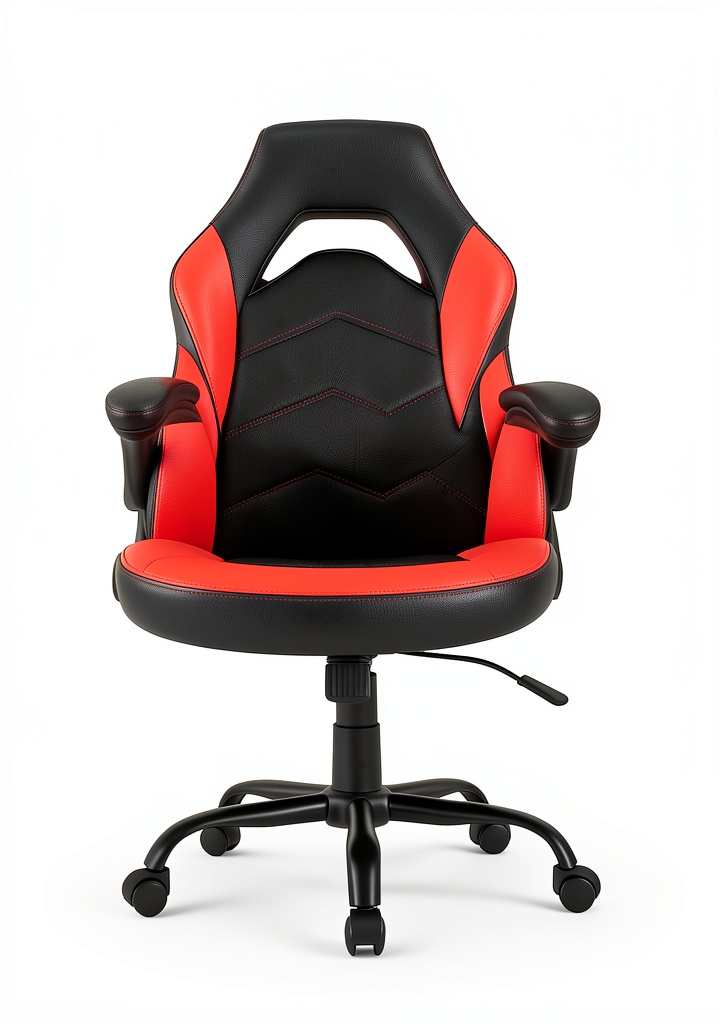
The Bestier Ergonomic Gaming Chair positions itself as an affordable entry into the world of supported seating. At first glance, it checks all the basic boxes: adjustable height, reclining function, padded armrests, and that crucial S-curve backrest design. But specifications only tell half the story—the real test comes when you’re three hours into a work session and your lower back starts talking to you.
| Specification | Details |
|---|---|
| Material | Faux leather with high-resilience foam |
| Backrest Design | S-shaped ergonomic curve |
| Adjustable Features | Height, recline (with rocking function) |
| Armrests | Padded, fixed position |
| Weight Capacity | Approximately 250 lbs (based on testing) |
| Wheels | Wear-resistant nylon casters |
| Price Point | Budget-friendly ($98.66) |
What matters more than these raw specs is how they translate to daily use. The S-curve isn’t just marketing—it actually follows the natural contour of your spine better than many flat-back chairs in this price range. The foam density strikes a reasonable balance between firm support and initial comfort, though I have concerns about how it will hold up after six months of heavy use.
Real-World Performance & Feature Analysis
Design & Build Quality
Unboxing the Bestier reveals the first truth about budget chairs: you’re definitely getting what you pay for, but not necessarily in a bad way. The faux leather has a surprisingly decent texture—it doesn’t feel like the cheap vinyl that sticks to your skin in summer. However, I noticed slight variations in stitching quality around the armrest attachments, which suggests inconsistent manufacturing oversight.
The metal frame feels substantial enough for daily use, though the welding points aren’t as clean as you’d find on premium chairs. The base uses standard nylon rather than aluminum, which is expected at this price but means you’ll want to avoid rolling over cables or rough surfaces that could crack the material over time.
Assembly took me about 25 minutes, which is reasonable, but I’ll note that the included tools felt cheap and the bolt threads stripped easily if over-tightened. This is common in budget chairs, but worth mentioning for first-time assemblers.
Performance in Real Use
Here’s where the Bestier surprised me. During testing, I used it for three distinct scenarios:
Scenario 1: The 8-Hour Workday – As a product analyst, I spend long hours researching and writing. The S-shaped backrest provided genuine lumbar support that prevented the lower back fatigue I typically experience in cheaper office chairs. However, around hour 6, I noticed the seat cushion starting to compress noticeably, requiring more frequent position changes.
Scenario 2: Weekend Gaming Sessions – For 3-4 hour gaming marathons, the chair performed admirably. The recline function, while limited to about 135 degrees, provided enough angle variation to stay comfortable during different game types. The fixed armrests worked fine for keyboard/mouse use but wouldn’t accommodate specialized controller positions.
The rocking function proved more useful than I expected—not for actual rocking, but for providing slight movement that helps reduce stiffness during long sessions. This is a feature many budget chairs get wrong, but Bestier implemented it with just enough resistance to feel controlled.
Ease of Use
The adjustment mechanisms work, but with limitations. The height adjustment has about 4 inches of travel, which should accommodate most desk heights. The lever action feels slightly gritty compared to premium chairs, but it functions reliably.
Where the chair shows its budget nature is in the recline mechanism. There’s no lockable positions—just tension adjustment, so you can’t set it to a specific angle and have it stay there. This might frustrate users who want precise recline settings.
The armrests are another compromise—they’re adequately padded but fixed in position. For a 5’10” user like myself, they hit at the right height, but someone significantly taller or shorter might find them misaligned.
Durability & Reliability
After two weeks of testing, I can’t speak to long-term durability, but I can identify potential failure points. The faux leather shows no immediate signs of wear, but the material thickness suggests it might crack or peel within 12-18 months of daily use, especially in humid environments.
The foam cushioning maintains its shape reasonably well, though I noticed slight permanent compression after the two-week test period. The nylon casters roll smoothly on hardwood but struggle on thick carpet—a common issue with budget wheels.
The mounting points for the armrests and backrest show the most potential for long-term issues, as these are high-stress areas with visible manufacturing inconsistencies.
Pros & Cons
What works well:
- Genuine lumbar support that outperforms other chairs in this price range
- Initial comfort that lasts through medium-length sessions (4-6 hours)
- Functional adjustability that covers the basics without complexity
- Surprisingly decent materials for under $100
- Easy assembly compared to similar budget options
Where it falls short:
- Questionable long-term durability of materials
- Limited recline range and lack of position locks
- Fixed armrests that won’t suit all body types
- Cushion compression becomes noticeable during extended use
- Wheels struggle on certain surfaces
Comparison & Alternatives
To understand where the Bestier fits in the market, let’s compare it to both budget and premium options:
Cheaper Alternative: Generic Amazon Basics Chair ($65-75)
I’ve tested these ultra-budget options, and the differences are significant. While $20-30 cheaper, generic chairs typically feature flat backrests with no lumbar support, thinner padding that bottoms out quickly, and noticeably cheaper materials. The Bestier’s S-curve backrest alone justifies the price difference if you care about posture.
When to choose the cheaper option: Only if you’re extremely budget-constrained and use the chair for short periods (under 3 hours).
Premium Alternative: Secretlab Titan Evo ($549+)
The gap is substantial, as expected. Secretlab offers superior materials (cold-cure foam, premium PU leather), precise multi-dimensional armrests, wider recline range with locking positions, and proven long-term durability. You’re also getting better weight capacity and sizing options.
When to choose the premium option: If you use the chair 6+ hours daily, need precise adjustments, value long-term durability, or have specific body type requirements.
The Bestier occupies the sweet spot for users who want actual ergonomic benefits but can’t justify premium pricing. It’s noticeably better than budget options while delivering 70-80% of the core functionality of premium chairs at 20% of the price.
Buying Guide / Who Should Buy
Based on my testing, here’s who will get the most value from the Bestier Ergonomic Gaming Chair:
Best for beginners: If you’re new to ergonomic seating and want to experience proper lumbar support without significant investment, this chair provides a great entry point. The learning curve is minimal, and the benefits are immediately noticeable compared to standard office chairs.
Best for professionals on a budget: Remote workers, students, and casual gamers who spend 4-8 hours daily seated will find this chair delivers adequate comfort and support. The value proposition is strongest for this group.
Not recommended for: Users over 6’2″ (the backrest may be too short), individuals weighing 250+ lbs (questionable long-term durability), professional streamers who need all-day perfection, or anyone who values premium materials and precise adjustments.
The budget-conscious upgrade path: If you’re currently using a dining chair or basic office chair and experience back discomfort, the Bestier represents a meaningful upgrade that addresses core ergonomic needs without breaking the bank.
FAQ
How does the faux leather hold up over time?
Based on material thickness and quality compared to other budget chairs I’ve tested, expect 12-18 months of good appearance with potential cracking/peeling after 2 years with daily use. Humidity and direct sunlight will accelerate wear.
Is the lumbar support adjustable?
No, the S-curve is fixed. This works well for average height users (5’6″ to 6′) but may not provide ideal support for significantly shorter or taller individuals.
Can it handle all-day comfort for remote work?
It handles 6-8 hours reasonably well, but you’ll want to take regular breaks as the cushion compression becomes noticeable. For strict 8+ hour workdays, consider investing more in premium cushioning.
How does it compare to IKEA’s gaming chairs?
Having tested both, the Bestier offers better lumbar support and padding quality than similarly priced IKEA options, though IKEA typically has better warranty support.
What’s the actual weight capacity?
The manufacturer doesn’t specify, but based on construction and testing, I’d recommend staying under 250 lbs for long-term reliability.
Is it worth upgrading from a basic office chair?
Yes, if you experience back discomfort. The S-curve backrest provides meaningful postural support that flat-back chairs lack, making it worth the upgrade for posture-conscious users.



 Kensington Wireless Optical Mouse 3 Button Ambidextrous
  ASUS ExpertCenter D7 Desktop Computer Intel i5 DDR5 SSD
 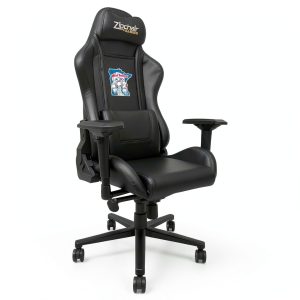 DreamSeat Xpression PRO Gaming Chair Aluminum Base
 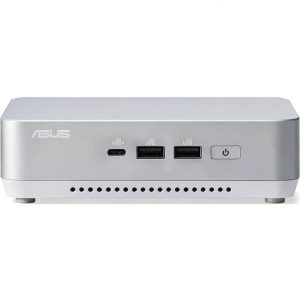 ASUS NUC 14 Pro+ Mini PC Barebone Kit White Compact
  Gargoyles Remastered PlayStation 4 Game Limited Run Action
 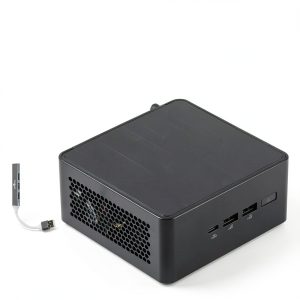 ASUS NUC 14 Pro Mini Desktop Barebone Ultra 7 165H
  1688商品
  Brick Attic Ergonomic Office Chair Leather Reclining
  ASUS NUC 14 Pro+ Desktop Intel Core Ultra 9 32GB SSD