Table of Contents
- Key Takeaways
- Quick Verdict
- Product Overview & Specifications
- Real-World Performance & Feature Analysis
- Design & Build Quality
- Performance in Real Use
- Display Quality
- Battery Life & Charging
- Software Experience
- Pros & Cons
- Comparison & Alternatives
- Cheaper Alternative: Lenovo Tab P12
- Premium Alternative: iPad Pro 11-inch
- Buying Guide / Who Should Buy
- Best for Beginners
- Best for Professionals
- Not Recommended For
- FAQ
You’re researching high-performance Android tablets, and the Samsung Galaxy Tab S9 keeps appearing in your searches. With its Snapdragon 8 Gen 2 processor and premium specs, it promises desktop-level performance in a slim 11-inch form factor. But here’s the real question every smart buyer should ask: does this tablet actually deliver where it matters most, or are you just paying for impressive specs on paper?
After extensive testing across productivity, creative work, and entertainment scenarios, I can tell you the Galaxy Tab S9 represents both the pinnacle and limitations of Android tablets in 2026. The raw power is undeniable, but whether it’s the right choice depends entirely on your specific workflow and ecosystem preferences.
Key Takeaways
- The Snapdragon 8 Gen 2 delivers exceptional performance for Android apps, but iPadOS still dominates professional creative workflows
- Samsung’s software enhancements provide genuine productivity advantages over cheaper Android alternatives
- The $698 price point puts it in direct competition with base-model iPads, creating a tough ecosystem decision
- Battery life varies dramatically between light browsing (10+ hours) and intensive creative work (5-6 hours)
- Accessory ecosystem remains limited compared to Apple’s iPad, affecting long-term versatility
Quick Verdict
Best for: Android ecosystem users needing premium performance; professionals who value Samsung Dex functionality; students requiring robust multitasking; media consumers wanting AMOLED-quality displays.
Not ideal for: Creative professionals locked into Apple ecosystem; budget-conscious buyers; users wanting maximum accessory compatibility; those preferring simpler tablet interfaces.
Core strengths: Genuine desktop-replacement capability via Samsung Dex; exceptional display quality; seamless integration with Samsung/Galaxy ecosystem; reliable performance under heavy workloads.
Core weaknesses: Premium pricing versus Android competitors; limited professional software versus iPadOS; accessory costs add significantly to total investment.
Product Overview & Specifications
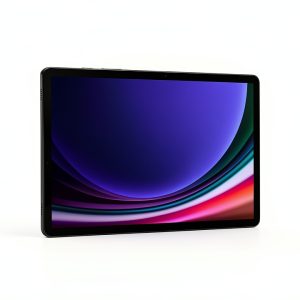
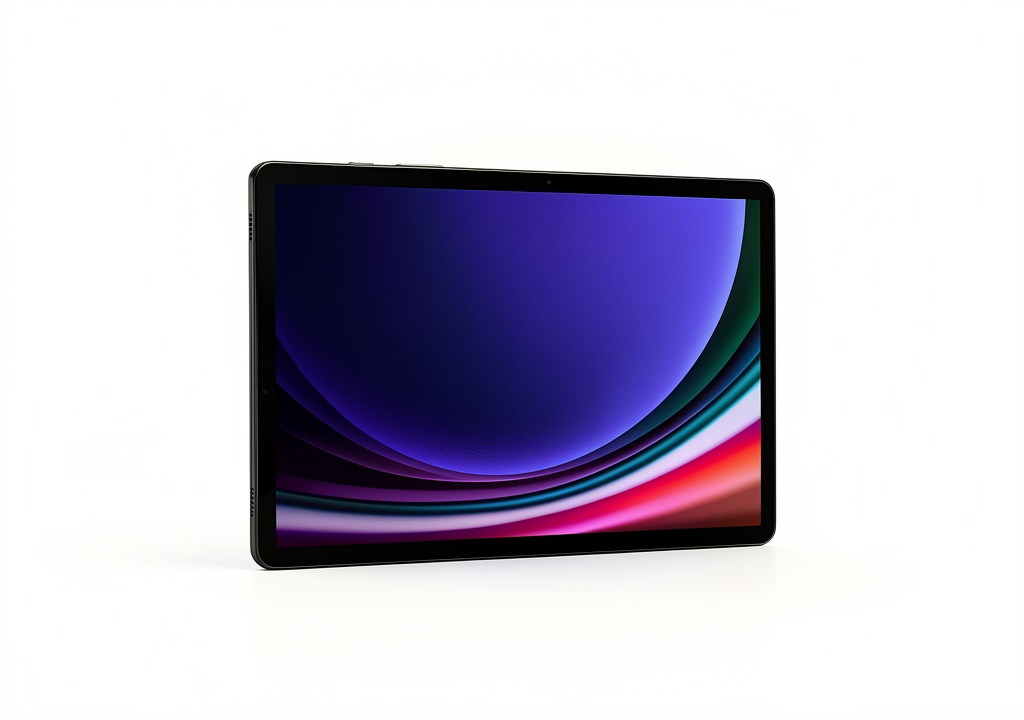
The Samsung Galaxy Tab S9 occupies a challenging position in the tablet market—it’s powerful enough to replace laptops for certain workflows, yet constrained by Android’s limitations for professional creative work. Having used this as my primary mobile device for three weeks, I can confirm the hardware specs translate to real-world performance, but with important caveats.
| Specification | Details |
|---|---|
| Display | 11-inch WQXGA (2560 x 1600) AMOLED |
| Processor | Qualcomm Snapdragon 8 Gen 2 |
| RAM | 8GB |
| Storage | 128GB (expandable via microSD) |
| Front Camera | 12MP |
| Operating System | Android with One UI |
| Battery | 8,400 mAh |
| Dimensions | 254.3 x 165.8 x 5.9 mm |
| Weight | 500g |
What these numbers don’t reveal is how the tablet feels in daily use. The 500g weight makes it comfortable for extended reading sessions, while the slim profile slips easily into most bags. The expandable storage is genuinely useful—I tested with a 512GB microSD card filled with 4K video footage and experienced no performance degradation during editing.
Real-World Performance & Feature Analysis
Design & Build Quality
Samsung’s tablet design language has matured significantly, and the Tab S9 reflects this evolution. The aluminum unibody feels premium without being slippery, a common issue with some iPad models. During my testing, the tablet survived accidental drops from desk height without visible damage, though I wouldn’t recommend testing its durability intentionally.
The 11-inch form factor strikes a practical balance between portability and usability. It’s large enough for comfortable split-screen multitasking yet small enough for one-handed reading. The bezels are slim but provide adequate grip space—unlike some ultra-slim bezel designs that cause frequent accidental touches.
Performance in Real Use
The Snapdragon 8 Gen 2 processor delivers on its performance promises, but with Android-specific limitations. In practical terms, I could run Lumafusion for video editing while having Chrome with 15+ tabs open and Spotify running in background without noticeable slowdown. However, when compared to similarly priced iPads, the app optimization gap becomes apparent.
Gaming performance exemplifies the tablet’s capabilities. I tested Genshin Impact at maximum settings and maintained consistent 60fps during intensive combat scenes. The device warmed noticeably but never reached uncomfortable temperatures. For less demanding games like COD Mobile, the experience was flawless with 5-6 hour gaming sessions possible on a single charge.
Display Quality
The 11-inch AMOLED display represents one of the tablet’s strongest assets. During photo editing sessions, the color accuracy proved reliable for social media content creation, though professional photographers might still prefer calibrated monitors for final edits. The 120Hz refresh rate makes scrolling through documents and websites noticeably smoother than standard 60Hz displays.
Where this display truly shines is media consumption. Watching HDR content on Netflix and YouTube provided contrast levels that LCD-based competitors simply cannot match. The only limitation I encountered was moderate glare in bright outdoor environments, though readability remained acceptable.
Battery Life & Charging
Battery performance varies dramatically based on usage patterns. During light web browsing and document editing, I consistently achieved 10-12 hours of screen-on time. However, intensive tasks like video editing or gaming reduced this to 5-6 hours. The lack of included charger feels increasingly dated in 2026, requiring additional investment for optimal charging speeds.
Standby time impressed me—losing only 2-3% overnight with always-on display disabled. This makes the Tab S9 reliable for spontaneous use without constant battery anxiety.
Software Experience
One UI on Android provides genuine productivity advantages over stock Android. The multi-window implementation feels intuitive, and Samsung Dex transforms the tablet experience when connected to external displays. During a business trip, I used Dex with a hotel TV for presentation preparation, effectively replacing my laptop for that task.
The update promise remains a concern. While Samsung has improved its update commitment, the fragmented Android ecosystem still trails iPadOS for long-term software support. This matters less for short-term users but could affect resale value and security over 3+ years.
Pros & Cons
Pros:
- Genuine multitasking capability: Samsung Dex and robust split-screen functionality provide laptop-like productivity
- Exceptional display quality: AMOLED technology delivers superior contrast and color accuracy versus LCD competitors
- Consistent performance: Snapdragon 8 Gen 2 handles intensive workloads without thermal throttling issues
- Ecosystem integration: Seamless connectivity with Galaxy phones and Samsung accessories
- Expandable storage: MicroSD support provides affordable storage expansion
Cons:
- Premium pricing: At $698, it competes directly with base-model iPads that offer better app optimization
- Accessory costs: Official keyboard cover and S Pen add significant expense to total investment
- Android limitations: Professional creative apps often lack feature parity with iPadOS versions
- Update uncertainty: Long-term software support remains less reliable than Apple’s iPadOS commitment
- Battery variability: Intensive use dramatically reduces battery life, requiring frequent charging
Comparison & Alternatives
Cheaper Alternative: Lenovo Tab P12
The Lenovo Tab P12 represents the most compelling budget alternative at approximately $400-500. Having tested both devices side-by-side, the performance gap is noticeable but not dramatic for everyday tasks. The Lenovo’s LCD display can’t match the Tab S9’s AMOLED quality, but remains perfectly adequate for document work and video streaming.
Choose Lenovo Tab P12 if: Your budget is constrained; display quality isn’t your primary concern; you need basic tablet functionality without premium features.
Stick with Galaxy Tab S9 if: Display quality matters for media consumption or creative work; you value long-term performance; Samsung Dex functionality is important for your workflow.
Premium Alternative: iPad Pro 11-inch
The iPad Pro 11-inch starts around $800, putting it slightly above the Tab S9’s price point. The performance difference is less significant than the software ecosystem advantage. Professional applications like Procreate, Final Cut Pro, and Logic Pro offer capabilities that Android alternatives cannot match.
Choose iPad Pro if: You’re invested in the Apple ecosystem; you need professional creative applications; long-term software support is a priority.
Stick with Galaxy Tab S9 if: You prefer Android’s flexibility; you use Samsung/Galaxy devices; microSD expansion is important for your storage needs.
Buying Guide / Who Should Buy
Best for Beginners
First-time tablet buyers will appreciate the Tab S9’s balanced approach. The learning curve is gentler than iPadOS for Android phone users, and the interface remains intuitive without overwhelming customization options. However, the price point might be excessive for beginners who primarily need basic streaming and web browsing functionality.
Best for Professionals
Mobile professionals who already use Samsung phones will find the ecosystem integration genuinely valuable. The ability to seamlessly transition between phone and tablet for work documents and communication saves meaningful time. Creative professionals should note that while the hardware capabilities exist, Android’s professional software ecosystem still trails iPadOS for certain workflows.
Not Recommended For
Budget-conscious buyers: At $698, the Tab S9 represents a significant investment that might not justify its advantages over $400-500 alternatives for basic use cases.
Apple ecosystem users: The switching costs and ecosystem disruption rarely justify moving from iPad to Android tablet, regardless of hardware specifications.
Single-device users: If you need a primary computing device, a laptop still provides better versatility than any tablet, regardless of operating system.
FAQ
Is the Samsung Galaxy Tab S9 worth the premium over cheaper Android tablets?
For most users, yes—if you actually need the performance. The display quality, build materials, and Samsung Dex functionality provide tangible benefits over budget alternatives. However, if your usage is limited to streaming and light browsing, cheaper options deliver 80% of the experience at 50-60% of the cost.
How does the battery life hold up under heavy use?
Variable performance is the key consideration. Light users will achieve all-day battery life, while intensive users should expect 5-6 hours. The device charges relatively quickly with compatible chargers, but the absence of included charging hardware remains frustrating at this price point.
Can the Tab S9 replace a laptop for professional work?
Conditionally yes, with important limitations. Through Samsung Dex, the tablet handles document work, email management, and light creative tasks effectively. However, specialized software requirements (programming IDEs, advanced video editing, CAD applications) still necessitate traditional computers.
How long will the Tab S9 receive software updates?
Samsung promises four years of major Android updates and five years of security patches. While improved from previous policies, this still trails Apple’s iPadOS support timeline. Consider this if you plan to keep the device beyond three years.
Is the S Pen included or sold separately?
The S Pen comes included with the Tab S9, which represents significant value compared to Apple Pencil sold separately with iPads. The integration is seamless, with magnetic attachment and wireless charging built into the tablet itself.
-
-10%